Direct answer
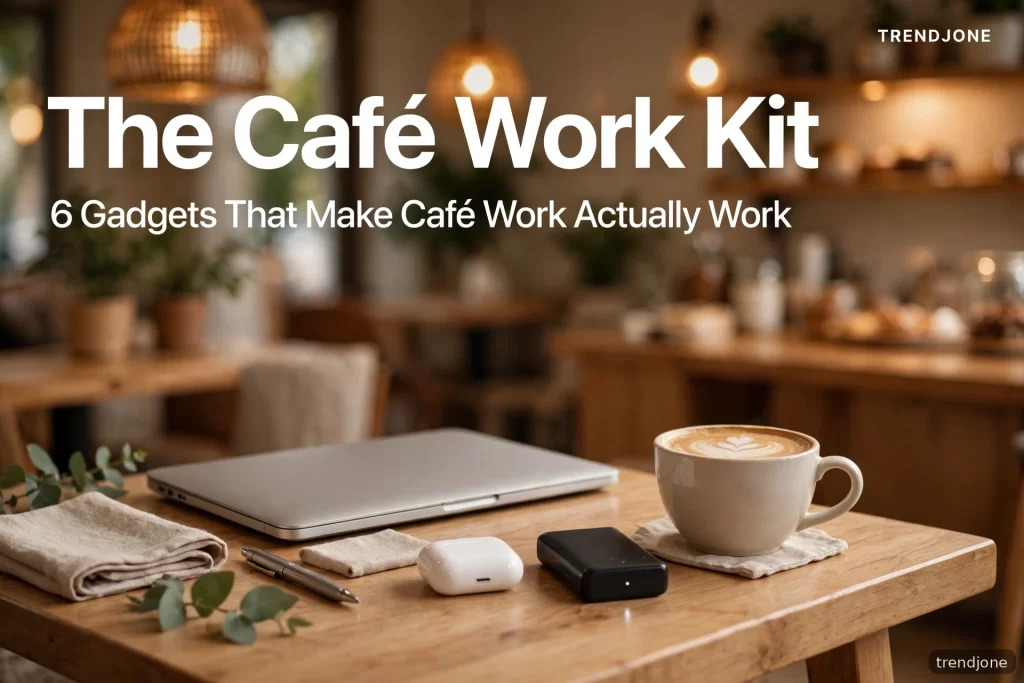
Café work fails for boring, physical reasons: a laptop flat on a table wrecks your neck, café noise wrecks your focus, and a dead battery ends the session early. The kit that fixes it is six small things: a folding laptop stand, noise-cancelling earbuds, a 10,000–20,000mAh power bank, a cable organiser, a privacy screen filter, and a compact travel mouse. Together they weigh less than a paperback or two, fit in a laptop sleeve or small pouch, and turn any table into a workstation you can actually sit at for three hours without regret.
Intro
I love working from cafés, and for a long time I was bad at it. I would arrive full of plans, order a coffee, open the laptop flat on the table, and within an hour my neck would ache, my eyes would hurt from the glare, and I would be silently furious at a stranger’s phone call. By lunch I would pack up, having done about forty minutes of real work, and tell myself cafés were just not for me.
They were for me. My setup was the problem. Working from a café is not about willpower or finding the perfect café — it is about solving five predictable problems before they happen. Once I built a small kit for those problems, café days became some of my most productive ones. Here is the kit, in the order I would buy it, with the honest reasoning for each piece.
1. A Folding Laptop Stand — The Single Biggest Upgrade
If you buy one thing from this list, buy this. A laptop flat on a table forces your neck down at an angle your body hates. After an hour, you are not tired because the work is hard — you are tired because you have been holding your head at a bad angle.
A folding laptop stand lifts the screen to near eye level and, as a bonus, lets air flow under the laptop so it runs cooler and quieter. The good ones fold flat to the size of a ruler, weigh almost nothing, and adjust to a few heights. Aluminium ones feel sturdier; plastic ones are lighter and cheaper. Either works — what matters is that it fits in your bag without a second thought. If a stand is bulky enough that you leave it at home, it has failed, no matter how nice it looks.
One honest warning: raising the screen means the keyboard is now too high to type on comfortably. That is why the next item on this list exists, and why people who use a stand usually pair it with a small external keyboard or, more practically for cafés, a compact mouse and a willingness to type at a slight angle for short sessions. For most people, the neck relief is worth far more than the keyboard compromise.
2. Noise-Cancelling Earbuds — Focus You Can Carry
Café noise is not one problem, it is three: constant chatter, sudden sounds (the grinder, a laugh, a chair scraping), and the mental effort of trying to ignore both. Regular earbuds playing music just add a layer on top. Noise-cancelling earbuds actually subtract the background.
You do not need the most expensive pair. What you need is decent active noise cancellation, a comfortable fit for two to three hours, and a case that charges them. Use them with nothing playing if you want — silence plus cancellation is a legitimate focus tool, and I do it often. For calls, the microphone quality matters more than the brand name: test it once with a friend before an important meeting, because some earbuds make you sound like you are calling from inside a tunnel.
The rule I follow: earbuds in means “I am working.” It is also a social signal. Strangers interrupt you less when you are visibly wearing them, which in a café is a feature, not rudeness.
3. A Power Bank That Actually Finishes the Job
A café session dies the moment your battery does, and café power outlets are a lottery — sometimes there are plenty, sometimes there is one, occupied, behind a plant. A power bank removes the lottery.
For a laptop, check the wattage, not just the capacity number. A small phone power bank will not charge most laptops at a useful speed. Look for a power bank that supports USB-C Power Delivery at 45W or more, with at least 20,000mAh capacity, if your laptop supports USB-C charging. For phones and earbuds, a 10,000mAh bank is plenty and much lighter.
My practical setup: one 20,000mAh bank for the laptop, kept in the bag’s side pocket, and a short USB-C cable (short cables tangle less and weigh less — a small thing that matters daily). Charge the bank the night before a café day, the way you charge your phone. A dead power bank is just a paperweight with a USB port.
4. A Cable Organiser — Small, Boring, Life-Changing
This is the least glamorous item on the list and the one I missed most before I owned it. Without an organiser, your bag becomes a nest: charger, earbuds case, cable, adapter, pen, all tangled together, and every café arrival starts with five minutes of untangling and a small spike of irritation.
A flat cable organiser — a small pouch with elastic loops — holds each cable in its own loop. Packing takes ten seconds, unpacking takes ten seconds, and nothing tangles. It also stops you from leaving a cable behind, because an empty loop is visible in a way a loose cable in a bag pocket is not. Buy the smallest one that fits your cables. This is not a product to overthink; it is a habit to adopt.
5. A Privacy Screen — For Your Work and Your Neighbours’ Comfort
In a café, your screen is public. Anyone behind you can read your emails, your documents, your bank page if you are careless enough to open one. A magnetic or adhesive privacy filter narrows the viewing angle so the screen looks dark from the side and clear from straight ahead.
Beyond privacy, there is a focus benefit nobody talks about: when you know nobody can read your screen, you stop angling yourself defensively and sit normally. And for the people around you, it is simple courtesy — nobody came to a café to accidentally read your spreadsheet.
Two practical notes: privacy screens slightly dim the display, so turn brightness up a notch, and buy the exact size for your laptop model — a filter that is a millimetre too big peels at the corners forever.
6. A Compact Travel Mouse — Because Trackpads Are a Compromise
Trackpads are fine for twenty minutes. For three hours of real work — spreadsheets, documents, design, anything involving dragging and selecting — a mouse is faster and kinder to your wrist. A compact travel mouse is barely bigger than a matchbox, connects over Bluetooth so it uses no USB port, and runs for months on one battery or charge.
I resisted this one longest, telling myself a trackpad was enough. It was not. The first week with a travel mouse, my editing speed noticeably improved and the ache in my wrist after long sessions disappeared. If you do any work involving precise clicking, this is the upgrade you will wonder why you delayed.
What Not to Pack
A café kit fails when it grows. Do not pack a portable monitor (heavy, needs power, and turns your table into an office that annoys everyone), a full-size keyboard (same problem), or a tangle of adapters “just in case.” The test for every item is simple: if you did not use it on your last three café visits, take it out. The whole point of this kit is that it disappears into your bag. The moment your bag feels like luggage, you will stop going to cafés, and the kit will have defeated itself.
The Café Itself Still Matters — A Little
Gadgets cannot fix a bad café. A table at the right height, a chair that supports your back, decent light, and a staff that does not glare at laptop users for three hours — those matter as much as any gadget. My rule: one coffee per two hours, a seat near a wall (fewer people walking behind your screen), and a café I have already tested for noise before I plan a serious work session there. Do a short scouting visit before a big work day. It saves more time than any gadget on this list.
FAQ
Can I work from a café with just a laptop and earbuds? Yes, for short sessions under an hour. Beyond that, the laptop stand is the upgrade that prevents neck pain, and a power bank is what prevents a session ending early.
Are noise-cancelling earbuds worth it if I already have headphones? If your headphones already cancel noise well and you do not mind their size, no. The advantage of earbuds is purely portability — they fit in a pocket, while headphones need bag space.
Will a power bank charge a MacBook or Windows laptop? Only if it supports USB-C Power Delivery at a high enough wattage (45W or more for most laptops) and your laptop charges over USB-C. Check your laptop’s charger wattage first.
Is a privacy screen necessary? Not strictly, but it is cheap, light, and removes both a real privacy risk and the low-grade anxiety of working in public. For anyone handling work documents in public, it is worth it.
How much should a café work kit cost in total? A sensible kit — stand, earbuds, power bank, organiser, privacy screen, mouse — can be assembled for the price of a mid-range pair of shoes, and most of it lasts years. Buy the stand and earbuds first; add the rest over time.
The Bottom Line
Café work is not a personality trait or a productivity hack. It is a workstation problem with a small, portable solution: lift the screen, cancel the noise, carry your own power, organise your cables, shield your screen, and use a real mouse. Six small things, one small pouch, and suddenly the café stops being a compromise and starts being the place where you do your best work. Pack it the night before, and tomorrow’s café session takes care of itself.