
Direct answer
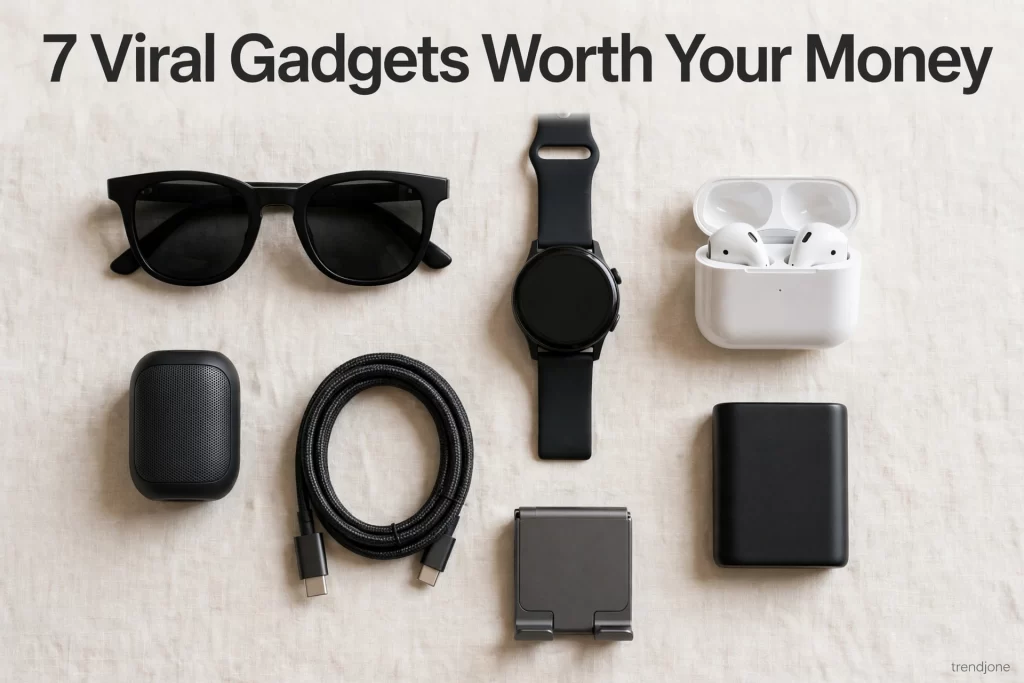
The desk gadgets that genuinely upgraded my home office are: an adjustable laptop stand (~$35), a warm-light desk lamp (~$40), a cable management box (~$25), a mechanical keyboard (~$70), a USB-C hub/dock (~$50), a monitor light bar (~$45), a quiet desk fan (~$30), and noise-isolating earbuds (~$60). Each one fixed a specific daily friction — neck pain, eye strain, cable chaos, afternoon slumps — and together they made the desk a place I actually want to sit at for eight hours. Skip the RGB light strips, USB mini vacuums, and "smart" mugs; they're desk toys, not upgrades.
Intro
Two years ago my "home office" was a laptop on a kitchen table, a phone charger draped over a cereal box, and a chair that taught me what lower-back pain was. I worked there for a year and blamed my job for the headaches. It was the desk.
The upgrade didn't happen all at once — it happened one friction at a time. Neck ache, so I fixed the screen height. Eye strain by 4 PM, so I fixed the light. A cable nest that made me irrationally angry every Monday, so I fixed that too. These eight gadgets are the ones that survived the process: each one solved a problem I felt every single workday. Nothing here is decorative. Well — one thing is a little bit decorative, but it earned it.
1. An Adjustable Laptop Stand (~$35)
The single highest-impact change on this list. A laptop on a desk forces your neck into a permanent downward crane — fifteen degrees doesn't sound like much until you hold it for eight hours a day. The stand raises the screen to eye level and angles the keyboard toward you. My neck stopped clicking within a week. I'm not exaggerating; it just stopped.
Why it earns its spot: Of all the posture fixes I've tried, this is the one with the most dramatic effort-to-result ratio. It also frees the desk space underneath for a notebook or a dock, and the angled typing position is noticeably easier on the wrists. Every laptop-on-a-desk setup I've seen since looks broken to me now.
My honest take: Aluminum beats plastic — plastic stands wobble when you type hard. Adjustable height matters more than foldability; the fixed-angle ones are cheaper but you're guessing at the right angle. Pair it with an external keyboard (see #4) or your shoulders will still hunch toward the built-in one.
2. A Warm-Light Desk Lamp (~$40)
Overhead ceiling lights are designed to illuminate a room, not a person working in it. By late afternoon I'd get this dull pressure behind my eyes that I assumed was screen fatigue. Half of it was the harsh, cool-white ceiling light bouncing off everything. A desk lamp with adjustable warm light (2700–3000K) aimed at the desk surface changed the whole feel of the room.
Why it earns its spot: Warm task lighting does two jobs: it lights your actual work area so your eyes aren't straining, and it signals your brain that this corner of the room is for focus, not interrogation. My 4 PM headaches dropped noticeably. It also just looks good — the desk went from "spare corner" to "my office" the evening I set it up.
My honest take: Get one with adjustable color temperature, not just brightness. Cool white in the morning for alertness, warm in the evening — that flexibility is the whole point. And position it to the side of your dominant hand to avoid shadows while writing.
3. A Cable Management Box (~$25)
Under my desk used to look like a nest built by a very stressed bird: power strip, chargers, laptop brick, cables going everywhere, dust collecting on all of it. A cable management box is a ventilated box that hides the power strip and excess cable; everything routes in and out through slots. Twenty minutes of setup, and the floor under my desk became visible again.
Why it earns its spot: This one's psychological. A visible cable tangle reads as chaos, and chaos is distracting even when you're not looking at it directly. The box also stops cables from collecting dust (a real fire-safety plus with power strips) and makes vacuuming under the desk possible. Small change, disproportionate calm.
My honest take: Buy bigger than you think you need — the small boxes overflow the moment you add one more charger. Get a fire-retardant one, not the cheapest fabric box. And do the full job: box plus a couple of adhesive cable clips along the desk edge, or the cables just migrate.
4. A Mechanical Keyboard (~$70)
I switched on a whim after borrowing a friend's for a weekend, and I haven't typed on a membrane keyboard since. Mechanical keys give you tactile feedback — you feel each keystroke land — which sounds like a luxury until your typing accuracy and speed both climb. But the real upgrade is less measurable: typing on it is genuinely pleasurable, and when you type all day, pleasure matters.
Why it earns its spot: You touch your keyboard more than any other object at your desk. Upgrading the thing you touch 50,000 times a day is the highest-leverage change available. My wrists fatigue less, my error rate dropped, and the satisfying click-clack makes long writing sessions feel less like grinding.
My honest take: Brown switches for most people — tactile without being loud enough to annoy a household. Hot-swappable models let you change switches later without soldering. And if you share a home office, get the quieter linear switches or your partner will have opinions.
5. A USB-C Hub/Dock (~$50)
The modern laptop has three ports and a dream. A USB-C hub turns one port into many: monitor, keyboard, mouse, external drive, ethernet, charging — one cable to plug in when you sit down, one to unplug when you leave. It's the difference between a laptop that visits your desk and a workstation.
Why it earns its spot: Before the dock, every workday started with a five-minute ritual of plugging things in one by one, and ended with the reverse. The dock killed the ritual. It also solved the "I need my laptop at a meeting" problem — unplug one cable, walk away, plug back in later, everything reconnects. It made the desk feel like infrastructure instead of clutter.
My honest take: Count your devices and buy one port more than you need — you'll add something. Make sure it supports your monitor's resolution at full refresh rate; cheap hubs quietly cap at 30Hz and everything feels sluggish. Power delivery of 65W or more if it's also your charger.
6. A Monitor Light Bar (~$45)
This one looks like a gimmick — a slim light bar that sits on top of your monitor and washes your desk in even light. It is not a gimmick. Overhead lights reflect in your screen; desk lamps take up space and create glare. The light bar throws light down onto the desk and keyboard without touching the screen, so there's zero reflection and zero screen wash.
Why it earns its spot: Evening work sessions were the problem: room dark, screen bright, eyes doing all the adjusting. The light bar balances the brightness so your eyes aren't constantly adapting between the glowing screen and the dark desk. Eye fatigue on late sessions dropped noticeably. It also auto-dims on the good models — set it once, forget it.
My honest take: Get one with adjustable color temperature and auto-brightness; the dumb ones are just a lamp in a weird shape. Make sure it fits your monitor's thickness — ultrawides and curved monitors need the right mount. And it pairs beautifully with the warm desk lamp from #2 for full-room balance.
7. A Quiet Desk Fan (~$30)
Not a room fan — a small, genuinely quiet desk fan that moves air across your face and keyboard. My home office is the warmest room in the house by 2 PM, and warm air makes the afternoon slump so much worse. A gentle breeze keeps me alert in a way the thermostat never managed.
Why it earns its spot: The afternoon productivity dip is partly temperature. Studies keep showing that slightly cool moving air beats still warm air for alertness, and my experience matches: the 3 PM fog lifts noticeably. The white noise of the fan is a bonus — it smooths out household sounds (dishwasher, dog, neighbor's mower) into background hum.
My honest take: "Quiet" is doing a lot of work in the marketing — read reviews specifically about noise on the lowest setting, because that's where you'll live. USB-powered models are fine; battery ones die mid-afternoon. And clean the blades monthly or it slowly becomes a dust cannon aimed at your face.
8. Noise-Isolating Earbuds (~$60)
Open-plan offices have noise; home offices have different noise — the dryer buzzer, the neighbor's leaf blower, a delivery driver with strong opinions about doorbells. Good noise-isolating earbuds (passive seal plus decent ANC) turn all of that into a faint rumor. Deep work became possible again.
Why it earns its spot: Focus is the whole currency of working from home, and interruptions cost more than the interruption itself — it takes twenty minutes to get back into flow. The earbuds don't just block sound; the ritual of putting them in tells everyone in the house (and my brain) that work has started. I use them four-plus hours a day.
My honest take: You don't need the $250 flagship buds for a desk. The mid-range models with good ANC are 90% as effective for less than half the price. Comfort matters more than specs — try the different ear tips; a proper seal beats a better chip. And keep multipoint pairing on so they hop between laptop and phone without a dance.
What I skipped (and don't miss)
RGB light strips everywhere. They look incredible in setup photos and add nothing to actual work. I tried a strip behind the monitor for a week; it was distracting, clashed with the warm lamp, and made video calls look like a gaming stream. Lighting should serve your eyes, not your Instagram.
USB mini vacuums. Adorable, useless. They have the suction of a tired sigh and the dust cup of a thimble. A pack of microfiber cloths and a proper handheld vacuum do the actual job. The mini vacuum is a desk toy that pretends to be a tool.
"Smart" mugs that keep coffee warm. Fifty-plus dollars to keep a drink warm, with an app, a charging coaster, and a battery that needs babysitting. A $15 insulated tumbler does the same job with zero charging. Some problems don't need Bluetooth.
How I picked these
Every item here had to clear the same bar: I used it at least four days a week for three months, and removing it would make a workday measurably worse. That's a high bar, and it killed a lot of candidates — including some expensive ones I wanted to love.
I also deliberately covered the full workday, not just one moment of it: morning alertness (light, air), sustained focus (keyboard, earbuds, screen position), the evening wind-down (light bar, warm lamp), and the constant background friction (cables, ports). A desk upgrade that only fixes mornings isn't an upgrade. And everything lands in the "buy it once" tier — the cheapest version of each of these is a false economy you'll replace within a year.
FAQ
What are the best desk gadgets for a home office in 2026? The highest-impact eight: an adjustable laptop stand (~$35), a warm-light desk lamp (~$40), a cable management box (~$25), a mechanical keyboard (~$70), a USB-C hub/dock (~$50), a monitor light bar (~$45), a quiet desk fan (~$30), and noise-isolating earbuds (~$60). Each fixes a specific daily friction.
What's the single best desk upgrade for the money? The laptop stand (~$35). Nothing else at that price fixes something as fundamental as neck posture, and the improvement is noticeable within days. If your screen isn't at eye level, start there before buying anything else.
Do I really need a monitor light bar? If you work after dark, yes — it's the best fix for the bright-screen/dark-room eye strain cycle. If you only work in daylight with good ambient light, it's optional. The desk lamp matters more for most people.
Are mechanical keyboards actually better for work, or just for gamers? Better for work, genuinely. The tactile feedback improves typing accuracy and reduces bottoming-out force, which means less finger fatigue over long sessions. Gamers just discovered them first.
How much does a full home office desk upgrade cost? All eight items here total roughly $355. But you don't need all eight at once — the stand, lamp, and cable box (~$100 total) cover the biggest quality-of-life gains, and you can add the rest as budget allows.
Conclusion
A home office upgrade isn't about making the desk look expensive — it's about removing the small frictions that drain you all day. Neck craned down, eyes straining, cables tangling, air going stale: each one is minor, and together they're the reason the workday feels harder than it should. These eight fixed mine, one friction at a time.
Start with your biggest complaint. If it's your neck, the stand. If it's the 4 PM headache, the lighting. And skip the desk toys — the RGB strips and smart mugs are fun for a week and forgotten by month two.
New gadget rundowns land here regularly, so check back. And if there's a desk gadget that transformed your setup, tell me in the comments — the best finds always come from people who actually sit at the desk.