
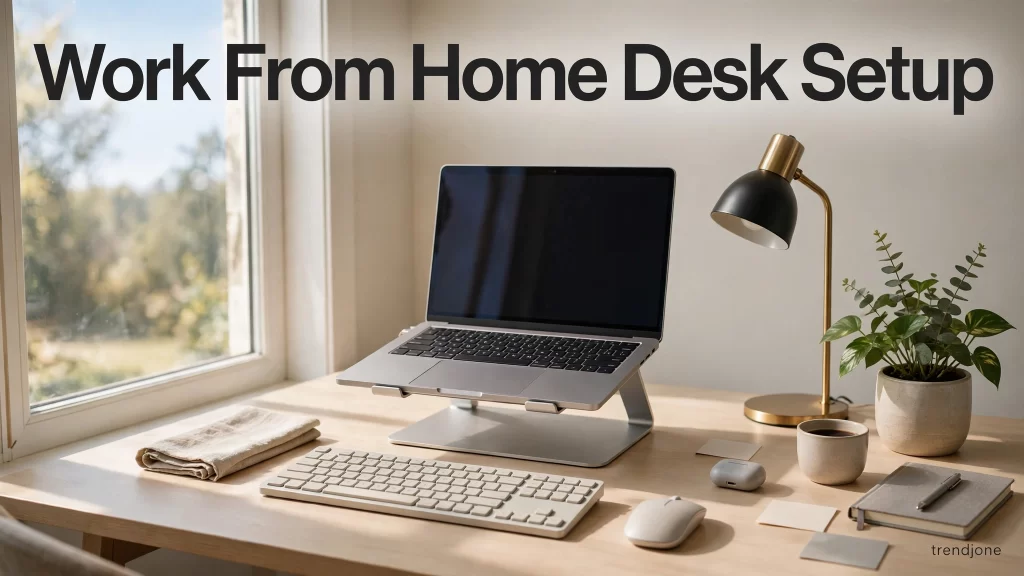
Short answer: A good work-from-home desk setup is not about expensive furniture — it is about seven small fixes: screen at eye level, feet flat on the floor, a chair that supports your lower back, light coming from the side instead of behind the screen, and a desk with nothing on it that you do not use every day. Most people can fix all seven in one weekend for under ₹2,000, and the difference shows up within a week: less back and neck pain, fewer headaches, and work that finishes earlier because you are not fighting your own desk.
I worked from my dining table for two years. By 4 PM every day my neck ached, my lower back throbbed, and I had a headache I blamed on screen time. I bought a fancy chair — it helped for a week. Then a physiotherapist friend spent ten minutes looking at my setup and pointed out the real problems: my laptop screen was a foot too low, my feet dangled off the floor, and the window behind me turned my screen into a mirror all afternoon. Fixing those three things cost me almost nothing and did more than the chair ever did. This post is the full list — the seven changes that actually matter, in the order I would fix them.
1. Screen at eye level — the single biggest fix
The most common work-from-home mistake is a laptop sitting flat on a desk, which forces you to look down all day. Your neck is not designed to hold your head tilted forward for eight hours — every inch forward adds roughly 4–5 kg of strain on your neck muscles. The fix is simple: raise the screen so the top third of it is at eye level. A stack of books works perfectly; a laptop stand costs ₹500–₹1,000 and does the same job more neatly. If you use an external monitor, the same rule applies — the top of the screen at eye level, about an arm’s length away. Add a separate keyboard and mouse once the laptop is raised (a basic set costs ₹800–₹1,200), because typing on a raised laptop is awkward and defeats the purpose. This one change alone fixed half my daily aches, and it is free if you own books.
2. Feet flat, back supported — chair position beats chair price
An expensive chair cannot save a bad sitting position. Sit with your feet flat on the floor (or on a small footrest — a sturdy box works), your knees at roughly 90 degrees, and your lower back touching the chair’s backrest. If your chair has no lumbar support, roll up a small towel and place it in the curve of your lower back — it does the same job as a ₹3,000 lumbar pillow. If your feet do not reach the floor, lower the chair; if your knees end up above your hips, raise it. The test is simple: after an hour, nothing should hurt. If your shoulders ache, the desk is too high or the chair too low. If your lower back aches, you are slouching away from the backrest. Adjust one thing at a time and give it a day — your body will tell you what worked.
3. Light from the side, not from behind
Light placement is the most overlooked part of a home office. A window behind your screen turns the display into a mirror; a window behind you throws glare across it and makes your face a silhouette on video calls. The best position is a window to your side, so daylight falls across the desk without hitting the screen. If you cannot move the desk, a cheap desk lamp (₹500–₹800) aimed at the wall behind the screen gives soft, even light for evening work, and closing a curtain during the worst afternoon glare costs nothing. For video calls, the rule is simple: light should fall on your face, not behind you. A small ring light or even a lamp placed behind your laptop does more for how professional you look than any webcam upgrade.
4. One clear surface — clutter is a focus tax
Every object on your desk is a small distraction your brain has to process. I used to keep my desk “organised” — which really meant covered in notebooks, cables, a coffee mug collection and things I might need someday. Clearing it down to the five things I actually use every day (laptop, keyboard, mouse, water bottle, one pen) changed how quickly I start work in the morning. The rule I use now: if I have not touched it in three working days, it goes in a drawer. Cables are the worst offenders — a ₹200 cable organiser or even a few binder clips keep them off the desk and out of sight. A clear desk does not just look better; it removes dozens of tiny decisions about where to put things, and those decisions add up to real mental energy.
5. Sound: the cheapest focus upgrade there is
Home is noisy — the pressure cooker, the neighbour’s drill, the dog next door. Noise is the single biggest focus-killer in a home office, and the fix does not need expensive headphones. A decent pair of earphones with passive noise isolation (₹1,000–₹2,000) blocks most household noise, and a simple background sound — rain, brown noise, or a lo-fi playlist — masks the rest. I keep one rule: headphones on means do-not-disturb, and my family respects it. If you take a lot of calls, a basic headset with a boom microphone (₹1,500 or so) sounds far better than a laptop microphone and stops you from shouting to be heard. The goal is not silence; it is control over what you hear.
6. Move every hour — the setup cannot do it for you
No desk setup, however perfect, replaces movement. Sitting still for eight hours will hurt you no matter how ergonomic the chair is. The simplest system that works: stand up and walk for two minutes every hour — to the kitchen, to the balcony, anywhere. Set a quiet hourly alarm on your phone until it becomes a habit. Stretch your arms above your head, roll your shoulders, and look at something far away for twenty seconds (the 20-20-20 rule: every 20 minutes, look at something 20 feet away for 20 seconds — it genuinely reduces eye strain). A standing desk is nice, but a kitchen counter at elbow height works as a standing desk for a twenty-minute stretch, and it costs nothing. The best ergonomic device you own is your legs.
7. A shutdown ritual — so work ends when work ends
The last setup change is not about furniture at all: it is about ending the day. When your office is your living room, work never really ends — the laptop stays open, the notifications keep coming, and the evening disappears. My ritual takes three minutes: close every tab, write tomorrow’s first task on a sticky note, shut the laptop, and put it in a drawer or a bag. The physical act of putting the laptop away is the signal to my brain that work is over. A small detail that helps enormously: keep work stuff in one corner or one shelf, not spread across the house, so the rest of your home stays yours. Working from home is a privilege — but only if home still feels like home at 7 PM.
My honest recommendation
If you want one answer: start with the free fixes — raise the screen with books, put your feet flat, roll a towel behind your lower back, and clear the desk down to five things. Then spend a little, in this order: a laptop stand, a basic keyboard and mouse, a desk lamp, and earphones. Total cost: under ₹3,000, spread over a month. The ₹50,000 chair can wait — and honestly, after these seven changes, you may find you do not need it at all.
FAQ
What is the ideal desk setup for working from home?
Screen top at eye level about an arm’s length away, feet flat on the floor, knees at 90 degrees, lower back supported, and light coming from the side. Add a separate keyboard and mouse once the screen is raised, and keep the desk clear of anything you do not use daily.
How can I fix back pain from working at home?
Start with the free fixes: raise your screen to eye level, sit with feet flat and lower back supported (a rolled towel works), and move for two minutes every hour. Most WFH back pain comes from looking down at a laptop and sitting still too long — not from the chair itself.
Do I need an expensive ergonomic chair for WFH?
Usually not. A basic chair with the right sitting position — feet flat, knees at 90 degrees, lumbar support from a rolled towel — fixes most pain. Spend first on a laptop stand, keyboard and mouse, and a desk lamp; consider a better chair only if pain persists after those fixes.
Where should I place my desk for the best light?
Next to a window, with the light coming from your side — not from behind the screen (which causes glare) and not from behind you (which silhouettes you on calls). A desk lamp aimed at the wall behind the screen gives soft evening light.
How do I separate work and home life when working from home?
Use a shutdown ritual: close all tabs, write tomorrow’s first task on a note, shut the laptop and put it away — out of sight, in a drawer or bag. Keep work things in one corner or shelf so the rest of your home stays yours, and treat headphones-on as a do-not-disturb signal.